

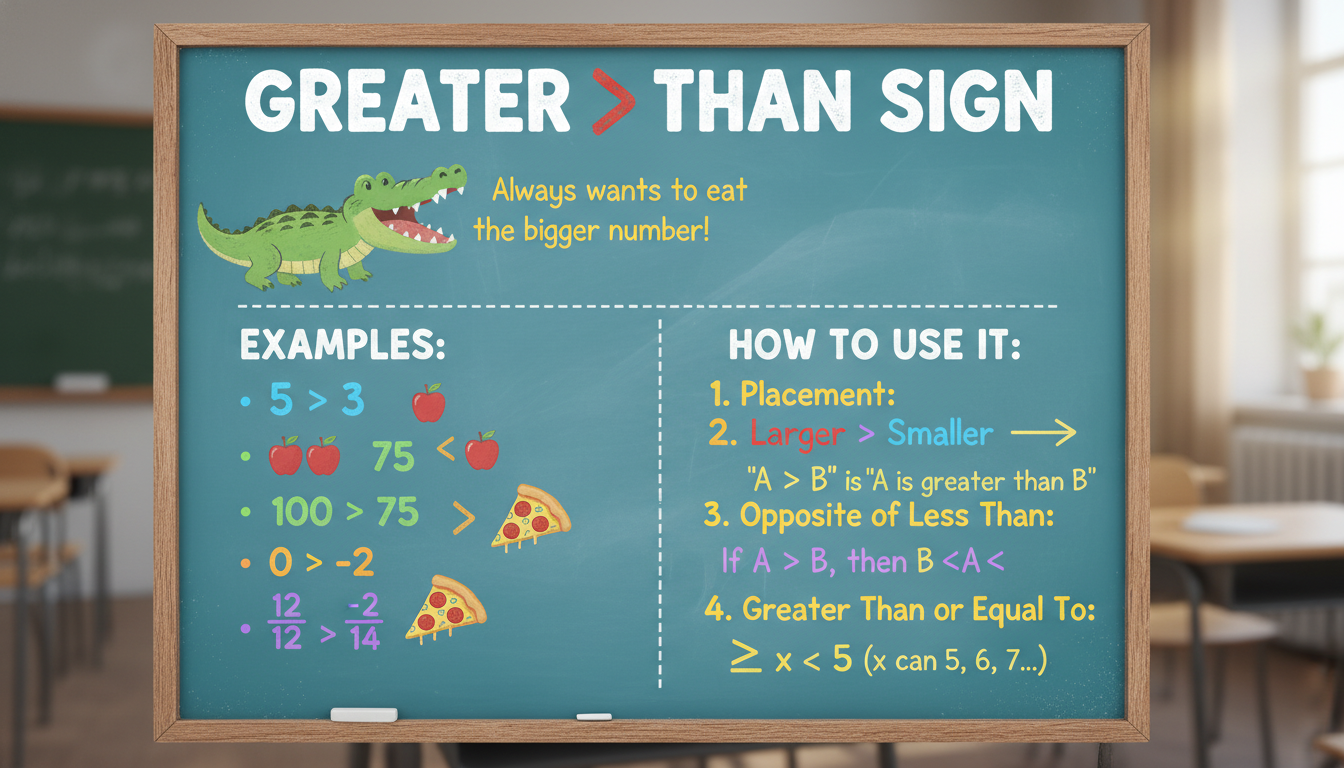
Ever paused mid-typing when you hit the greater than sign and wondered, “Am I using this thing right?” It’s more common than you’d think. Whether it’s comparing numbers, writing code, crafting math equations, or even putting things in perspective—this little symbol “>” can trip people up. But don’t worry: it’s simpler than you might fear.
What follows is a slightly informal, yet professional exploration—not too stiff, maybe a touch quirky—to walk through what the greater than sign actually means, how to use it correctly, and why it matters. We’ll look at real-world examples from spreadsheets to code snippets, sprinkle in expert insight, and hopefully clear up any lingering confusion. Let’s jump in.
The Greater Than Sign Unpacked: What It Really Means
The greater than sign (>) is a relational operator that indicates that the value on its left side is larger than the one on the right. It’s sort of like saying, “Hey, this number dwarfs that one.”
In math, “5 > 3” straightforwardly means five exceeds three. No big surprise there. But it gets more interesting in other contexts:
- In programming, it often plays double duty in if-statements or loops (e.g.,
if (x > y) { ... }). - In spreadsheets, seeing
=A1 > B1evaluates to TRUE if A1’s value exceeds B1’s. - Even in content formatting, the “>” can denote blockquotes or nested lists, depending on the platform.
This operator’s universality doesn’t guarantee universal clarity though, so let’s break down where people tend to trip up.
Common Pitfalls—and How to Dodge Them
Misreading in Everyday Writing
Sometimes people type “>” but mean “at least” or “not less than.” Like writing “>5 applicants required” when you’re okay with exactly five. That’s technically correct, yet it can feel a little janky and cause misinterpretation. If precision matters, stick to “at least” or “minimum.”
Confusion in Code and Spreadsheets
In code, especially with other symbols, things can go sideways fast. Take >=, which means “greater than or equal to.” Accidentally dropping the equals sign can lead to logic bugs. Similarly, in spreadsheets comparisons like A2>=B2 let you cover equal values too, but > alone won’t.
Issues with Nested Expressions
When you use expressions like 3 > 2 > 1, it might not work like you think—in many languages it evaluates left to right, so 3 > 2 becomes TRUE, and then you’re comparing TRUE > 1, which usually isn’t intended. Better practice is to avoid chaining and write it out clearly: 3 > 2 AND 2 > 1.
Human Imperfection Creep
Let’s not forget—sometimes people slip in typos or spacing inconsistencies, like > 10 vs >10. Often interpreted the same, but inconsistent use can lead to harder-to-read code or formulas, especially in collaborative environments.
Real-World Examples That Hit Home
Financial Modeling
In financial forecasting models, something like Revenue > Cost can drive alerts or conditional formatting. For example, if projected revenue exceeds cost by a realistic margin, you might flag the row green. If misusing >, you could miss crucial red-flag warnings. In high-stakes budgeting? That’s a problem.
Educational Tools
Online quizzes or e-learning platforms often ask students to enter expressions like “x > y.” If the system expects a tight syntax (no spaces, correct character), a student might fail the quiz on formatting, not concept. Good design systems will trim or smart-interpret—but not all do.
Web Development Snags
In HTML, some templating engines use > inside tags or logic blocks. Misplacing it can turn your HTML into gibberish. For instance:
“`html
{% if total > threshold %}
High volume
{% endif %}
“`
If your threshold logic flips, you may display completely wrong UI messages to users. And that spoils the narrative!
Expert Insight: A Thoughtful Note
“Though it’s simple at first glance, the greater than operator forms the backbone of countless logic flows—from sorting to user access rules. Misuse often lies not in the symbol itself, but in unconscious habits or miscommunication.”
This really nails it: it’s not just the sign, but how we think and talk about it that matters.
Best Practices: Use It Like a Pro
Clarity Over Brevity
In spreadsheets or code, when precision matters, prefer:
>=when inclusive comparison is expected.- Avoid chaining like
a > b > c; it’s ambiguous. - Use parentheses to be explicit about order of operations.
Audit Your Usage
Especially in shared documents or team codebases, consider:
- Version control diffs—a change from
>to>=might be subtle yet critical. - Linting tools—many modern linters catch odd relational operations.
- Comment wisely—if
Revenue > Targettriggers significant actions, a brief comment helps future readers.
Teach and Document
Training materials or readme files should clarify what these operators do. A mini Table:
| Expression | Meaning |
|————|——————————-|
| a > b | a is strictly larger than b |
| a >= b | a is larger than or equal b |
| a < b | a is strictly smaller than b |
| a <= b | a is smaller than or equal b |
It’s verbose, sure, but clarity often trumps terseness.
Bringing It All Together
Stepping back, the greater than sign isn’t just a typographical token—it’s a decision point. It determines logic paths, signals business conditions, and even educates logic learners. Mistakes often come not from ignorance of the symbol, but from sloppiness, assumptions, or edge-case confusion.
Here’s a quick reality-check list to keep things tight:
- Use
>for strict comparisons;>=when equality is acceptable. - Never chain comparisons without clarity.
- Treat formatting inconsistencies with scrutiny—especially in collaborative environments.
- Use audit tools, comments, and docs to reinforce clarity.
Final Thoughts: Why It Matters (and Why It’s Not Complicated)
Understanding “>” means understanding how we compare things—numbers, sizes, conditions. That simplicity can hide complexity: ambiguous chains, formatting quirks, off-by-one thought slips. Yet, once you establish clarity in how—and why—you use it, that sign becomes a trusty arrow pointing to correctness.
Next time you copy-paste a formula, write a snippet, or teach someone about comparisons, remember: it’s often the tiny details that matter most. And the greater than sign, though simple, is one of those tiny details with big impact.
FAQs
What’s the difference between “>” and “≥”?
“>” means strictly greater, while “≥” (or >= in code) means greater than or equal to. Use >= if equality should pass the check.
Why does 3 > 2 > 1 not work as expected in many programming languages?
Many languages evaluate left-to-right, so 3 > 2 becomes a boolean. Then comparing that boolean to 1 doesn’t reflect the intended intent. Best to split into separate comparisons.
Can spacing around “>” affect functionality?
Typically not in code or spreadsheets, but inconsistent formatting can make logic harder to parse for humans. Aim for consistency: a > b is clearer than a>b.
How do I avoid errors with “>” in collaborative documents?
Use linters, code reviews, and comments. Even simple conventions like “always double-check relational operators in budget models” can reduce oversight errors.
Is it okay to use “greater than” in regular text instead of the “>” sign?
Yes—when precision isn’t necessary, “greater than” or “more than” often reads more naturally. Switch to the symbol when contexts call for technical clarity.
What about in educational settings—should students use the symbol or words?
Depends. For math and coding, the symbol is expected. But early learners benefit from phrasing like “five is more than three.” Once the concept sticks, the transition to “5 > 3” becomes intuitive.

















Leave a comment