

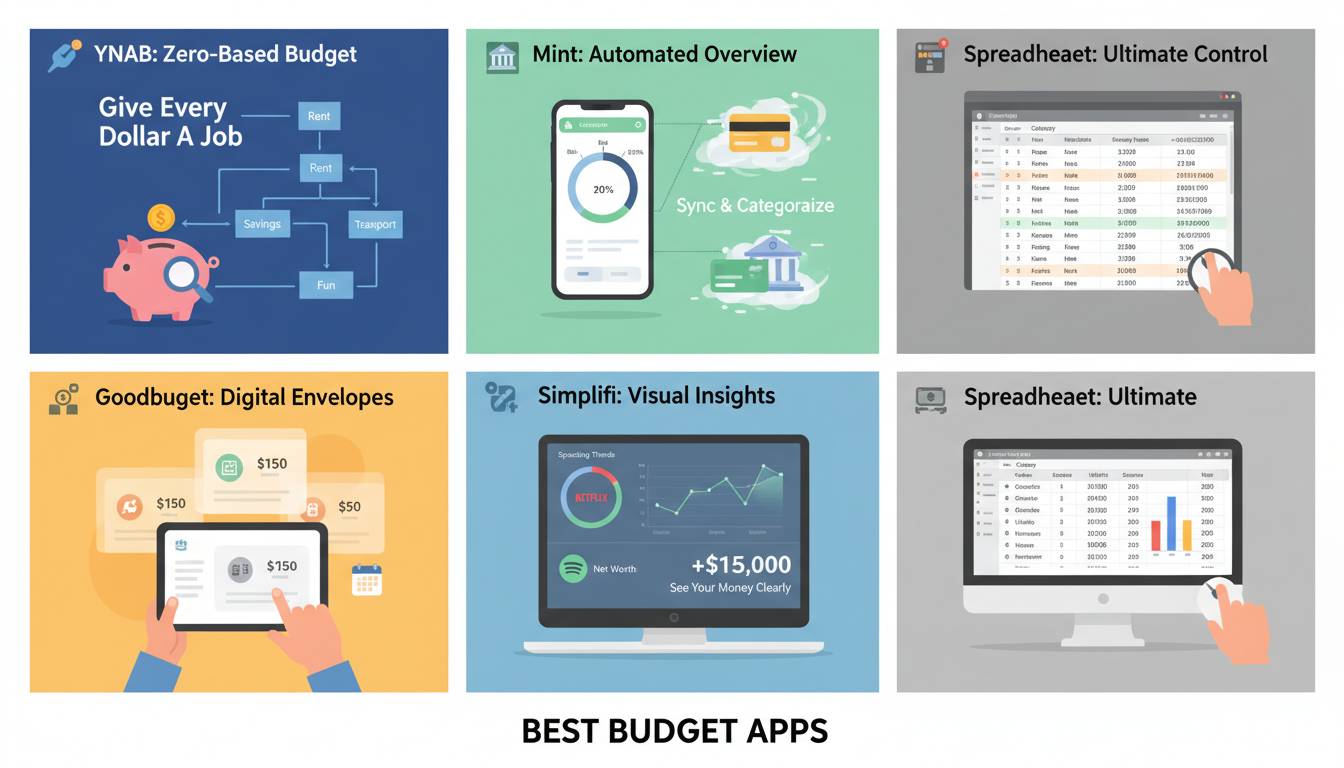
Managing your money effectively requires the right tools, and budget apps have become essential for tracking expenses, saving for goals, and building financial health. With dozens of options available, choosing the right one can feel overwhelming. This guide evaluates the top budget apps based on features, pricing, ease of use, and real user outcomes to help you find what actually works.
Why Budget Apps Matter for Your Financial Health
The average American household carries over $6,000 in credit card debt, and nearly 60% of workers live paycheck to paycheck. Budget apps address these challenges by providing visibility into spending patterns, automating savings, and helping users stay accountable to their financial goals.
The best budget apps do more than track transactions—they transform how you think about money. YNAB (You Need A Budget), for example, teaches users to assign every dollar a job before spending it. This zero-based budgeting approach has helped users collectively save over $1 billion since the platform launched.
Research from the Financial Health Network indicates that people who use budgeting tools are 2.3 times more likely to report feeling financially healthy compared to those who don’t track their spending.
What Makes a Budget App Actually Work
Not all budget apps deliver on their promises. The most effective apps share several characteristics that drive real results.
Automated transaction syncing eliminates the need for manual entry, reducing friction and improving accuracy. Apps that connect directly to your bank accounts through secure APIs save users approximately 15 minutes weekly on expense tracking.
Customizable categories let you tailor tracking to your specific spending patterns. A frequent diner needs a “Restaurants” category; a parent with multiple children needs distinct “Childcare” and “Tutoring” categories.
Goal-setting and progress tracking provide motivation. Apps that show visual progress toward goals—like a savings account balance growing or debt decreasing—leverage behavioral psychology to encourage continued engagement.
Compatibility with your financial ecosystem matters. If you use multiple banks, credit cards, and investment accounts, choose an app that aggregates all your financial data in one place.
Cost is another factor. Some apps are free with limited features; others charge $5-15 monthly but offer comprehensive tools. The best value depends on how much functionality you actually use.
Top Budget Apps Reviewed
After analyzing features, pricing, user reviews, and real-world effectiveness, these apps stand out as the best options for different needs and budgets.
YNAB (You Need A Budget)
YNAB operates on a zero-based budgeting philosophy where you give every dollar a specific purpose before the month begins. This proactive approach differs from reactive tracking that shows where money went after it’s spent.
The app connects to over 21,000 financial institutions and automatically imports transactions. Users categorize each transaction and adjust their budget accordingly. The interface emphasizes assigning money to categories rather than simply viewing spending.
Key Features:
- Goal-setting for savings targets and debt payoff
- Debt paydown planner that calculates payoff timelines
- Mobile and desktop synchronization
- Educational content including workshops and budgeting methodology
- Integration with investment accounts
Pricing: $14.99 monthly or $109 annually
User Outcomes: YNAB reports that new users who stick with the method for an average of 34 months see their average age of money (how long since you earned the money you’re spending) increase to over 30 days—a key indicator of financial breathing room.
Monarch Money
Monarch Money launched in 2022 as a modern alternative to Quicken, offering comprehensive financial tracking without the legacy software feel. The app combines budgeting, net worth tracking, and investment monitoring in a clean interface.
Monarch connects to over 11,000 financial institutions and provides real-time transaction updates. Its strength lies in visualizing your complete financial picture—accounts, investments, debts, and assets—in one dashboard.
Key Features:
- Net worth tracking across all accounts
- Investment portfolio performance monitoring
- Collaborative features for household budgeting
- Bill tracking and due date reminders
- Cash flow projections
Pricing: $9.99 monthly or $99 annually (with 7-day free trial)
Best For: Users who want to track investments alongside daily spending without multiple apps.
Copilot
Copilot distinguishes itself through AI-powered insights and a modern design approach. The app launched in 2020 and quickly gained popularity among younger users seeking a sophisticated alternative to older budgeting software.
Copilot’s interface emphasizes visual data presentation—charts, graphs, and spending insights appear prominently. The AI component analyzes spending patterns and sends proactive notifications about unusual expenses or potential savings opportunities.
Key Features:
- AI-powered spending insights and recommendations
- Real-time transaction categorization
- Investment tracking with performance metrics
- Split transactions for complex purchases
- Savings goals with automated contributions
Pricing: Free version available with premium tiers starting at $8/month
Best For: Tech-savvy users who want smart recommendations without manual budgeting effort.
Goodbudget
Goodbudget implements the envelope budgeting system digitally. Instead of tracking every transaction in detail, users allocate money into virtual envelopes representing spending categories. When an envelope is empty, spending in that category stops until the next month.
This system works particularly well for people who struggle with overspending because it creates hard limits. You can’t spend what’s not in the envelope.
Key Features:
- Envelope-based allocation system
- Debt payoff tracking
- Savings goal envelopes
- Household sharing for couples
- No bank connection required (manual entry option)
Pricing: Free version with basic features; Plus version at $7/month for unlimited envelopes and accounts
Best For: Users who prefer envelope budgeting and those who want to avoid connecting bank accounts for security reasons.
Rocket Money (formerly Truebill)
Rocket Money takes a different approach, focusing on automation and optimization. The app doesn’t just track your spending—it actively works to save you money by negotiating bills, canceling unused subscriptions, and finding better rates on services.
Key Features:
- Automatic subscription monitoring and cancellation
- Bill negotiation for better rates
- Savings automation
- Credit score monitoring
- Bill pay features
Pricing: Free for basic features; premium plans from $3-12/month for optimization services
Best For: Users overwhelmed by subscriptions and those who want passive savings without ongoing effort.
Empower (formerly Personal Capital)
Empower offers comprehensive wealth management features alongside budgeting tools. While Personal Capital built its reputation on investment tracking, the rebrand expanded its consumer finance capabilities.
The app excels at showing the big picture—how daily spending affects long-term wealth accumulation. Investment tracking includes fee analysis, asset allocation recommendations, and retirement planning tools.
Key Features:
- Investment account aggregation and analysis
- Retirement planning calculators
- Fee analysis for investment accounts
- Net worth tracking
- Cash flow analysis
Pricing: Free for basic budgeting; wealth management services available for higher net worth users
Best For: Users with significant investments who want to optimize fees and track wealth holistically.
Comparison: Budget Apps at a Glance
| App | Pricing | Best For | Key Strength | Platform |
|---|---|---|---|---|
| YNAB | $14.99/month | Intentional savers | Zero-based methodology | iOS, Android, Web |
| Monarch Money | $9.99/month | Comprehensive tracking | Modern interface, all-in-one | iOS, Android, Web |
| Copilot | Free-$8/month | AI enthusiasts | Smart recommendations | iOS, Android, Web |
| Goodbudget | Free-$7/month | Envelope users | Simple limits | iOS, Android, Web |
| Rocket Money | Free-$12/month | Passive savers | Automation focus | iOS, Android, Web |
| Empower | Free | Investors | Wealth management | iOS, Android, Web |
How to Choose the Right Budget App
Selecting the best budget app depends on your financial situation, technical comfort, and specific goals.
For beginners wanting to build basic budgeting habits, Goodbudget’s envelope system provides structure without complexity. The free version offers enough functionality to determine if the approach works for you.
For serious budgeters committed to financial transformation, YNAB’s methodology delivers results—but requires significant time investment and willingness to change spending habits. The annual subscription saves money compared to monthly billing.
For families managing joint finances, Monarch Money and Empower offer robust household collaboration features. Copilot also supports shared household budgets with clear permission controls.
For investors tracking portfolios alongside spending, Empower and Monarch Money provide the most comprehensive account aggregation. Both show how investment performance affects overall financial health.
For automation lovers who prefer passive money management, Rocket Money handles optimization without requiring daily attention. The subscription monitoring alone often pays for the premium cost.
Consider starting with a free version to test the interface before committing. Most apps offer 7-14 day trials of premium features. Budget apps require sustained use to deliver results—switching apps frequently prevents you from building the habit.
Tips for Budget App Success
Downloading an app won’t automatically fix your finances. Success requires consistent use and behavioral change.
Set realistic goals. Trying to save 50% of your income when you’ve never tracked spending before sets you up for failure. Start with achievable targets like saving $500 or reducing dining expenses by 20%.
Review weekly, not daily. Checking your budget constantly creates anxiety without providing value. Weekly reviews let you spot trends and adjust categories as needed.
Automate your savings. Connect your app to automatically transfer funds to savings when you get paid. Apps like YNAB and Rocket Money can schedule these transfers, removing the temptation to skip saving.
Use notifications strategically. Enable alerts for unusual spending or when categories are nearly depleted. Too many notifications lead to ignored alerts—customize thoughtfully.
Reconcile monthly. Even with automatic syncing, review your accounts monthly to ensure transactions imported correctly. Catching errors early prevents budget misalignment.
Frequently Asked Questions
Which budget app is best for beginners?
Goodbudget and Mint (now discontinued) were historically recommended for beginners, but Copilot offers an excellent free tier with intuitive design. Its AI-powered insights help new users understand spending patterns without requiring manual categorization expertise. The free version provides enough features for most beginners to get started.
Are budget apps safe to connect to my bank?
Reputable budget apps use bank-level encryption and never store your banking credentials directly. YNAB, Monarch Money, Copilot, and other established apps use read-only connections through services like Plaid, which means they can view transactions but cannot move your money. Always verify the app uses 256-bit encryption and check the Privacy Policy before connecting accounts.
Do budget apps work if I have irregular income?
Yes—apps like YNAB are particularly effective for irregular income because they teach you to budget based on what you have, not what you expect. You assign money as it arrives rather than planning for a fixed monthly amount. Goodbudget also handles irregular income well through its envelope system that adapts to actual funds available.
Can I use a budget app with my spouse or partner?
Most modern budget apps include household collaboration features. Monarch Money, Copilot, and Empower allow multiple users to view and edit shared budgets. Goodbudget supports two users on its Plus plan. Before choosing an app, verify that shared access meets your household’s needs for visibility and permission controls.
How much should I expect to pay for a quality budget app?
Quality budget apps range from free to around $15 monthly. Free versions typically include basic tracking but lack goals, advanced reporting, or multiple account support. Paid plans usually cost $5-15 monthly, with annual discounts available. Rocket Money’s premium features can pay for themselves through bill negotiation savings, potentially exceeding the subscription cost.
What happens if my budget app shuts down like Mint?
Mint announced closure in early 2024, leaving users seeking alternatives. To protect against this risk, export your data regularly—most apps allow CSV or PDF exports. Choose apps with data export features and consider periodically backing up your financial information. YNAB and Monarch Money both emphasize data portability, allowing you to download complete transaction histories.
Conclusion
The best budget app is one you’ll actually use consistently. YNAB offers the most comprehensive methodology for financial transformation, while Monarch Money provides the most polished all-in-one experience. Copilot appeals to users wanting AI assistance, and Goodbudget serves those preferring simple envelope controls.
Your financial goals—whether eliminating debt, building emergency savings, or planning retirement—should guide your choice. Take advantage of free trials to test interfaces before committing. Remember that the app is a tool; your commitment to financial awareness delivers the results.
Start with the app that matches your current comfort level and upgrade as your needs evolve. The biggest mistake isn’t choosing the wrong app—it’s choosing none at all.
The post Best Budget Apps for Personal Finance That Actually Work appeared first on PQR News.












Leave a comment