
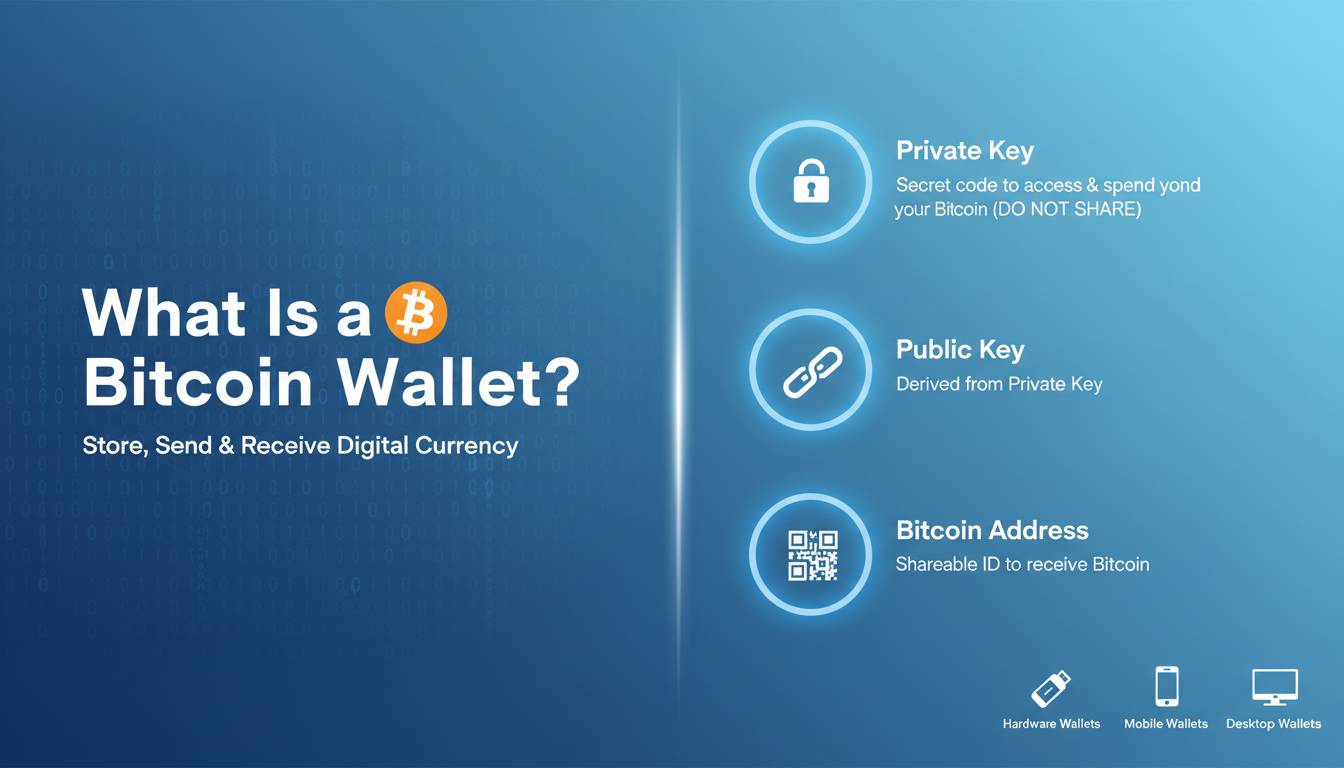
A Bitcoin wallet is a digital tool that allows you to store, send, and receive Bitcoin. Unlike a traditional wallet that holds physical currency, a Bitcoin wallet stores your private keys—the cryptographic codes that prove ownership of your Bitcoin and authorize transactions on the blockchain. Every Bitcoin wallet generates a pair of keys: a public address (like an account number) for receiving funds and a private key (like a password) for spending them. Understanding how these wallets function is essential for anyone entering the cryptocurrency space, as choosing the right wallet directly impacts the security and accessibility of your digital assets.
 STATS
STATS
• Over 420 million people globally use cryptocurrency wallets
• Approximately 70% of Bitcoin is held in wallets with private keys
• Hardware wallet sales increased 150% in 2023
• Self-custody wallets now hold over $500 billion in Bitcoin
Key Takeaways
• Bitcoin wallets don’t store Bitcoin directly—they store private keys that authorize transactions on the blockchain
• Four main types exist: hardware, software, paper, and custodial wallets, each with distinct security profiles
• Private key security is paramount—anyone with your private key controls your Bitcoin
• Recovery phrases allow you to restore access if you lose your wallet
• Choice of wallet impacts security, convenience, and control over your funds
Understanding Bitcoin Wallets: Definition and Basics
A Bitcoin wallet serves as your gateway to the Bitcoin network. While commonly referred to as a “wallet,” these tools more closely resemble key management systems. When someone asks “what is a Bitcoin wallet,” the simplest answer is: software or hardware that manages the cryptographic keys enabling Bitcoin transactions.
The Bitcoin network operates on a decentralized ledger called the blockchain. Your Bitcoin balance isn’t stored in your wallet—it’s recorded on the blockchain, with your wallet simply providing the credentials to access and transfer those funds. This distinction matters because it means your Bitcoin exists independently of any single wallet application. As long as you possess your private keys or recovery phrase, you can access your Bitcoin using any compatible wallet.
Components of a Bitcoin Wallet
Essential Elements:
- Private Key: A 256-bit random number that serves as your password. This key must remain secret—anyone with access to your private key can transfer your Bitcoin
- Public Key: Derived mathematically from your private key, this can be shared freely to receive Bitcoin
- Public Address: A shortened version of your public key, typically 26-35 characters, which you share to receive Bitcoin
- Recovery Phrase: Usually 12 or 24 words, this phrase can regenerate all your keys if your wallet is lost or damaged
 STAT: The probability of guessing a Bitcoin private key is approximately 1 in 2^256—an astronomically small number that makes brute-force attacks mathematically impossible
How Bitcoin Wallets Work
When you initiate a Bitcoin transaction, your wallet uses your private key to create a digital signature. This signature proves to the network that you authorized the transfer without revealing your private key. The transaction then broadcasts to the Bitcoin network, where miners verify and confirm it before adding it to the blockchain.
Transactions remain pending until a miner includes them in a block. Once confirmed, the transaction becomes irreversible. Your wallet balance updates by querying blockchain explorers, which track all transactions. Modern wallets communicate with the Bitcoin network through nodes or third-party APIs to display your balance and transaction history accurately.
Types of Bitcoin Wallets
Choosing the right wallet type depends on your priorities: security, convenience, or both. Each type offers different trade-offs worth understanding before making a decision.
| Wallet Type | Security Level | Convenience | Best For |
|---|---|---|---|
| Hardware |  |
|
Long-term holders, large amounts |
| Software (Mobile) | |
|
Daily transactions, beginners |
| Software (Desktop) | |
|
Regular users, some technical knowledge |
| Paper | |
|
Cold storage, maximum security |
| Custodial | |
|
Beginners, easy access |
Hardware Wallets
Hardware wallets are physical devices designed specifically for secure key storage. These devices keep your private keys isolated from internet-connected devices, making them resistant to malware and hacking attempts. Popular options include Ledger and Trezor devices, which retail between $79 and $299.
 Pros: Highest security, immune to computer viruses, private keys never leave device
 Cons: Costs money, requires physical device to transact, potential for device loss or damage
 Price: $79-$299
 For: HODLers, large Bitcoin holders, security-conscious users
Software Wallets
Software wallets are applications installed on computers or mobile devices. They offer convenient access to your Bitcoin but remain connected to the internet, creating potential attack surfaces. Mobile wallets like BlueWallet and Trust Wallet excel for everyday transactions, while desktop wallets like Electrum provide more advanced features for desktop users.
Pros: Free, easy to use, quick access to funds, many features available
Cons: Vulnerable to malware and phishing, device theft or loss risks
Price: Free
For: Active traders, small to medium amounts, everyday purchases
Paper Wallets
A paper wallet is simply a physical printout of your private and public keys. Because it exists only on paper, it cannot be hacked remotely. However, paper wallets require careful handling and storage to prevent physical damage, loss, or theft.
Pros: Completely offline, immune to digital theft, no software dependencies
Cons: Vulnerable to physical theft, fire, water damage, difficult to use for transactions
Price: Free (printing costs)
For: Long-term cold storage, gift purposes, maximum security enthusiasts
Custodial Wallets
Custodial wallets, offered by exchanges like Coinbase and Binance, hold your Bitcoin on your behalf. While convenient, these wallets mean you don’t control your private keys—technically, the exchange holds your Bitcoin. This creates counterparty risk: if the exchange is hacked or goes bankrupt, you may lose your funds.
Pros: Easiest to use, password recovery available, built-in exchange features
Cons: Not your Bitcoin, exchange can freeze accounts, hack vulnerability
Price: Free (but higher exchange fees)
For: Beginners, those new to crypto, trading-focused users
Benefits of Using a Bitcoin Wallet
Understanding the advantages of proper wallet usage helps justify the learning curve and potential costs involved.
| Benefit | Impact | Source |
|---|---|---|
| Full ownership | 100% control over funds with non-custodial wallets | Bitcoin.org |
| Lower fees | Save 1-3% per transaction vs. exchanges | CoinGecko, 2024 |
| Privacy | Transactions don’t require personal identification | Bitcoin Whitepaper |
| 24/7 access | Send/receive Bitcoin anytime, anywhere | Network availability |
| Irreversible transactions | No chargebacks or fraud risk | Blockchain nature |
Key Advantages
Financial Sovereignty:
Non-costodial Bitcoin wallets provide true ownership. Unlike bank accounts that can be frozen or restricted, your Bitcoin moves only when you authorize it. This independence appeals to those concerned about banking censorship or financial privacy.
Cost Efficiency:
Using your own wallet avoids exchange withdrawal and deposit fees. For frequent traders, these savings compound significantly over time.
Privacy Protection:
Bitcoin transactions don’t inherently require personal information. While not anonymous (the blockchain is public), using your own wallet prevents exchanges from linking your identity to your transaction history.
 CASE: MicroStrategy, a publicly traded company, stores over 190,000 Bitcoin in hardware wallets managed by a specialized security team, demonstrating enterprise-grade self-custody practices
How to Choose the Right Bitcoin Wallet
Selecting a wallet requires balancing several factors unique to your situation and risk tolerance.
Decision Factors
1. Amount of Bitcoin
Small amounts ($100-$500): Mobile or software wallets suffice
Medium amounts ($500-$10,000): Desktop wallet or hardware wallet
Large amounts ($10,000+): Hardware wallet with backup copies
2. Transaction Frequency
Daily transactions: Mobile wallet for convenience
Weekly transactions: Desktop or mobile wallet
HODL strategy: Hardware wallet for security
3. Technical Comfort Level
Beginner: Custodial or mobile wallet
Intermediate: Desktop wallet
Advanced: Hardware wallet with custom settings
Setup Process
Prerequisites:
– [ ] Stable internet connection
– [ ] Secure device (no malware)
– [ ] Backup storage method (secure location)
– [ ] Understanding of private key importance
Time: 15-30 minutes | Cost: $0-$200
Steps
1. Research and Select
Choose a wallet that matches your needs. Verify the wallet’s reputation through reviews, Reddit discussions, and official sources. Avoid downloading wallets from unverified links.
 15 minutes | Tip: Start with recommended wallets from Bitcoin.org’s official list
2. Download and Install
For software wallets, download exclusively from official websites or app stores. Verify the developer’s contact information and digital signatures when possible.
 Avoid: Searching for wallets on Google and clicking ads → Fix: Type wallet names directly or use Bitcoin.org links
3. Create Your Wallet
Follow the setup wizard. Write down your recovery phrase immediately—before anything else. This phrase is your ultimate backup.
4. Verify Recovery Phrase
Most wallets ask you to confirm your recovery phrase by selecting words in order. Complete this step to ensure you recorded correctly.
5. Test Small Transaction
Send a tiny amount to test the wallet works correctly before transferring larger sums.
Avoid: Transferring all your Bitcoin immediately → Fix: Start with a small test amount
6. Secure Your Backup
Store your recovery phrase in multiple secure locations. Consider metal backups for fire protection.
| Problem | Fix |
|---|---|
| Wallet won’t sync | Check internet, try different server/node |
| Transaction stuck | Wait for confirmation or use RBF (Replace-By-Fee) |
| Forgotten PIN | Use recovery phrase to restore on new device |
| Device lost | Restore using recovery phrase on new wallet |
Security Best Practices
Bitcoin security requires understanding that with great power comes great responsibility. Unlike traditional banking, there are no password resets or fraud protection.
CRITICAL: The #1 cause of Bitcoin loss is not hacks—it’s lost private keys. Approximately 3-4 million Bitcoin are permanently lost due to users losing access to their wallets
Prevent: Write down recovery phrases in multiple locations, use metal backup plates, never store digitally
Essential Security Measures
For All Wallets:
• Enable two-factor authentication on any associated accounts
• Use unique, strong passwords for wallet encryption
• Keep device software updated
• Never share private keys or recovery phrases
For Hardware Wallets:
• Only purchase from official sources
• Never share your seed phrase, even with “support”
• Verify device packaging hasn’t been tampered with
• Consider a passphrase in addition to PIN
For Recovery Phrases:
• Never store digitally (no photos, no cloud, no email)
• Use metal plates for fire protection
• Store in safe deposit boxes or home safes
• Consider splitting phrase and storing in separate locations
Common Mistakes to Avoid
| Mistake | Impact | Solution |
|---|---|---|
| Not backing up recovery phrase |  Complete fund loss Complete fund loss |
Write down on paper + metal backup |
| Using weak PINs |  Easy unauthorized access Easy unauthorized access |
Use 8+ digit PIN |
| Sharing private keys | Immediate fund theft |
Never share, no legitimate need |
| Storing recovery phrase digitally |  Malware/theft risk Malware/theft risk |
Physical storage only |
| Not verifying addresses | Send to wrong address |
Always double-check first/last 4 chars |
Expert Insights
 Andreas Antonopoulos, Bitcoin Author and Speaker
“Not your keys, not your Bitcoin. This is the fundamental rule. If you don’t hold your private keys, you’re not actually holding Bitcoin—you’re trusting a third party with your money.”
Data: Over $100 billion lost historically through exchange hacks | Advice: Start with small amounts while learning
Jameson Lopp, CasaHODL CTO
“The biggest risk for most users isn’t sophisticated attacks—it’s simple user error. Losing a recovery phrase or sending to the wrong address accounts for more lost Bitcoin than all hacks combined.”
Data: 4 million Bitcoin permanently lost | Advice: Practice with small amounts before large transfers
BENCHMARKS
| Metric | Average | Top 10% |
|——–|———|———|
| Recovery phrase backup rate | 45% | 95% |
| Hardware wallet ownership | 12% | 40% |
| Two-factor authentication | 38% | 85% |
| Monthly transactions | 2 | 15+ |
Tools and Resources
| Tool | Cost | For | Rating |
|---|---|---|---|
| Ledger Nano X | $149 | Hardware wallet, mobile | |
| Trezor Model T | $219 | Hardware wallet, touchscreen | |
| Electrum | Free | Desktop wallet, advanced | |
| BlueWallet | Free | Mobile wallet, simple | |
| Casa | $60/yr | Multi-sig, enterprise | |
Top Picks:
• Ledger Nano X: Best overall balance of security, mobile compatibility, and features
• Trezor Model T: Best open-source option with touchscreen interface
• Electrum: Best free desktop option for technical users
Frequently Asked Questions
What is a Bitcoin wallet and how does it work?
A Bitcoin wallet is software or hardware that stores your private keys—the secret codes that authorize Bitcoin transactions. When you want to send Bitcoin, your wallet uses your private key to create a digital signature that proves you own the funds. The transaction then broadcasts to the Bitcoin network for verification. Your wallet doesn’t actually store Bitcoin; it stores the keys that give you access to your Bitcoin recorded on the blockchain.
Should I use a hardware wallet or software wallet?
Hardware wallets offer superior security by keeping your private keys offline, making them ideal for storing significant amounts of Bitcoin. Software wallets are more convenient for frequent transactions but are connected to the internet, creating potential vulnerabilities. For amounts under $1,000, software wallets typically suffice. For larger holdings, hardware wallets are strongly recommended.
What happens if I lose my Bitcoin wallet?
If you lose your wallet but have your recovery phrase (seed words), you can restore your Bitcoin on any compatible wallet by entering those words. Your Bitcoin isn’t stored in the wallet—it’s on the blockchain, and your recovery phrase gives you access to those funds. Without your recovery phrase and private keys, your Bitcoin becomes permanently inaccessible.
Are custodial wallets safe for storing Bitcoin?
Custodial wallets offered by exchanges provide convenience but come with counterparty risk. The exchange holds your Bitcoin, meaning you don’t have true ownership. If the exchange is hacked, goes bankrupt, or freezes your account, you could lose your funds. For long-term storage, non-custodial wallets where you control the private keys are significantly safer.
How do I choose the best Bitcoin wallet for beginners?
Beginners should prioritize ease of use and adequate security. Mobile wallets like BlueWallet or Trust Wallet offer intuitive interfaces. However, starting with a small amount while learning is advisable. As you become more comfortable, consider transitioning to a hardware wallet for better security as your holdings grow.
Can I have multiple Bitcoin wallets?
Yes, you can and often should have multiple wallets for different purposes—such as a hardware wallet for long-term storage and a mobile wallet for daily spending. Using multiple wallets can also improve privacy by separating transactions.
Conclusion
Understanding what a Bitcoin wallet is forms the foundation of responsible cryptocurrency ownership. These digital tools don’t store Bitcoin directly but manage the private keys that grant access to your funds on the blockchain. The type of wallet you choose—hardware, software, paper, or custodial—directly impacts your security, convenience, and degree of control over your Bitcoin.
For beginners, starting with a reputable software wallet while learning the basics makes sense, keeping initial amounts small until comfortable with the process. As holdings grow or you plan to hold long-term, transitioning to a hardware wallet provides substantially better security. Regardless of wallet type, the golden rule remains: your private keys, your Bitcoin. Never share your recovery phrase, always verify addresses before sending, and maintain multiple secure backups of your seed words.
The Bitcoin ecosystem offers unprecedented financial sovereignty, but this freedom requires personal responsibility for security. By understanding how wallets function and implementing best practices, you can safely participate in the Bitcoin network while protecting your digital assets for years to come.
The post **URL:**
/what-is-a-bitcoin-wallet
**Title:**
What Is a appeared first on PQR News.
















Leave a comment